Phone or Camera for Seniors? How to Choose
As an Amazon Associate we earn from qualifying purchases. Some links in this guide are affiliate links, see our affiliate disclosure for details.
For many older adults, the phone in their pocket is the right camera. A dedicated camera earns its place only when it solves a specific problem the phone cannot, such as reaching a distant subject, giving a steadier hold or being easier to see in bright sun.
This guide helps you decide. It is based on published camera specifications, not personal testing, and it does not give medical advice.
Quick verdict
| Your situation | Likely best choice |
|---|---|
| Family photos, everyday snaps and video calls | The phone you already have |
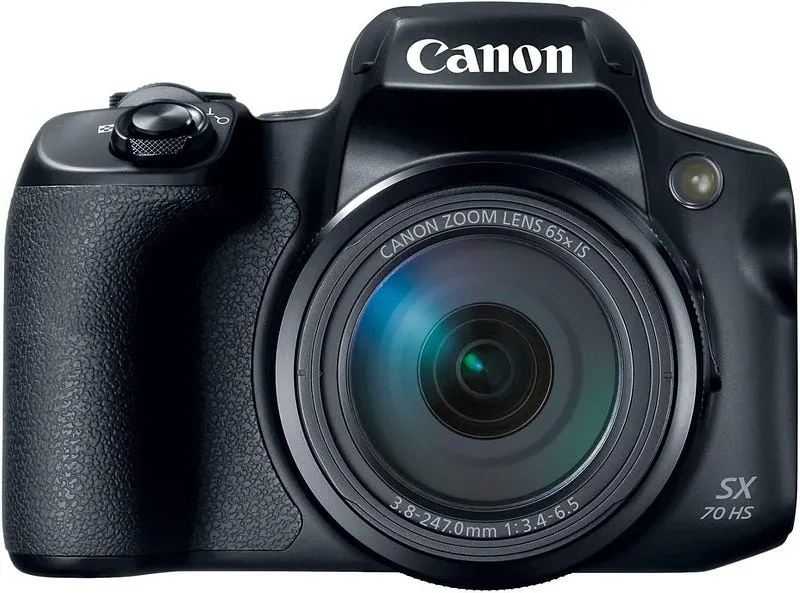
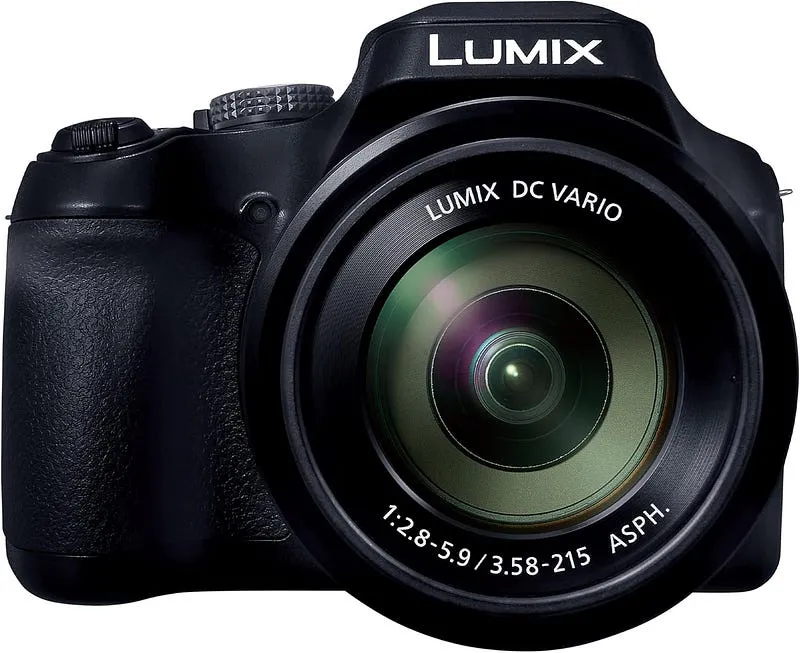
| You want to photograph birds, wildlife or sports from a distance | A superzoom camera such as the Panasonic Lumix FZ80D (60x, 20–1200mm equivalent) or the Canon PowerShot SX70 HS (65x) |
| You find the phone hard to hold or the screen hard to see in sun | A camera with a viewfinder and a grip |
| You want a light camera for travel that is better than a phone in some situations | A compact such as the Sony ZV-1 II (292 g) or Canon PowerShot V1 (426 g) |
| You want to keep learning photography | A mirrorless camera such as the Fujifilm X-S20 or OM System OM-5 |
When a phone is enough
- You mostly photograph people nearby and share them straight away.
- You do not want another device, charger or memory card to manage.
- You already know how to use the phone.
When a camera is worth it
- Reach. The long zooms on bridge cameras go far beyond what you would usually expect from a phone. The FZ80D is listed at 20–1200mm equivalent.
- A viewfinder. A viewfinder, as on the FZ80D, the X-S20 and the OM-5, lets you frame in bright sun and brace the camera against your face.
- Controls. Physical buttons and dials can be easier than a glass screen for some hands.
- Grip and strap. A camera with a grip and a strap is easier to hold securely than a slim phone.
- Battery and storage. A camera has its own battery and card, so photos do not take up space on your phone.
What a camera costs you
A camera is another thing to carry and charge, and photos have to be moved to a phone or computer. A long zoom camera is heavy: Panasonic lists the FZ80D at 640 g with battery and card, and Canon lists the SX70 HS at about 610 g. The lighter Sony ZV-1 II is 292 g.
A five-minute checklist
- What do you actually want to photograph?
- Is the main problem reach, shake, a hard-to-see screen or a hard-to-hold phone?
- Can you hold the camera comfortably for a few minutes?
- Can you read the screen or viewfinder with your glasses?
- Will you really carry it?
If the answer to the first question is "people at close range", stay with the phone. If it is "birds, grandchildren at a distance or travel scenery", look at the cameras in our guide to cameras for seniors. If shake or grip is the issue, see the guides to shaky hands and tremors and arthritis and weak grip.
Frequently asked questions
Is a camera easier to use than a phone?
Not necessarily. Some cameras are simple, but menus can be harder than a phone you already know. Try one in a shop.
Can a camera zoom further than a phone?
Bridge cameras such as the Panasonic FZ80D list 60x optical zoom, which is a very long range. Check a specific phone's zoom before you decide.
Should I buy a cheap compact?
Cheap compacts are often unclear about their stabilization and screens. Our guide to point-and-shoot cameras compares several.
Sources
Specifications come from Panasonic's FZ80D page, Canon's SX70 HS specifications, Sony's ZV-1 II specifications, Canon's PowerShot V1 manual and the Wikipedia entries for the Fujifilm X-S20 and OM System OM-5. Check current figures before you buy.
Camera & Lens Settings by Real-World Use Case
Match your focal length, aperture, shutter speed, and lighting modifier to the exact environment you shoot in.
Tattoo Artists & Micro-Realism Portfolios
- Best Body:
- Sony Alpha a7 III / Fujifilm X-T4
- Ideal Lens:
- 90mm f/2.8 Macro (detail) or 50mm f/1.8 (sleeves & back pieces)
- Aperture & Shutter:
- f/5.6 – f/8 (keeps curved forearms and calves sharp edge-to-edge) · 1/125s – 1/200s handheld (or 1/60s on tripod)
- Room Distance:
- 0.4m – 1.5m (1.5 to 5 ft)
Barbershops, Hairstylists & Color Salons
- Best Body:
- Sony a7 IV / Canon EOS R6 Mark II
- Ideal Lens:
- 50mm f/1.8 (tight stations) or 85mm f/1.8 (spacious salons)
- Aperture & Shutter:
- f/1.8 – f/2.8 (blurs background chairs while keeping the lineup tack-sharp) · 1/160s – 1/250s (freezes subtle head movement in the chair)
- Room Distance:
- 1.5m – 2.4m (5 to 8 ft from the styling chair)
Makeup Artists (MUA) & Beauty Tutorials
- Best Body:
- Sony Alpha a6400 / Canon G7 X Mark III
- Ideal Lens:
- Sigma 56mm f/1.4 DC DN (APS-C) or 50mm–85mm f/1.8 (Full Frame)
- Aperture & Shutter:
- f/2.8 – f/4 for full-face sharpness; f/5.6 for macro eye/lip close-ups · 1/125s for stills; 1/50s (24p) or 1/120s (60p) for video tutorials
- Room Distance:
- 1.2m – 2.2m (4 to 7 ft)
Written by
Marien CartelMarien Cartel runs Marien Cartel Photography, a camera and lens buying-guide site, and photographs the gear shown on it.
Related Guides
Best Cameras for Seniors (2026): Easy to Use Picks
Five easy cameras for older adults compared on weight, screen, viewfinder and zoom: Panasonic FZ80D, Canon SX70 HS, Sony ZV-1 II, Canon V1 and Fujifilm X-S20.
How to Choose a Lens for Wildlife and Bird Photography
Choosing a lens for wildlife and bird photography comes down to focal length, maximum aperture, stabilization and weight. Here's how each one trades off.
How to Choose a Lens for Astrophotography and Night Sky Photos
Choosing an astrophotography lens means balancing focal length, a fast aperture and corner sharpness. Here's how to weigh each one for night sky shots.
Best Camera for Stop Motion Animation 2026: Phone to DSLR
Smartphone, webcam, Canon EOS 80D or a mirrorless body for stop motion? A quick verdict on live view, tethering and Dragonframe support.
Best Mirrorless Camera for Beginners
Comparing Sony a6000, Canon EOS M50 Mark II and Fujifilm X-T200 for Mirrorless Camera for Beginners — sensor specs, autofocus, pricing.
How to Choose a Lens for Sports Photography: Focal Length, f/8 vs f/4 & Autofocus Guide
Learn how to choose a sports photography lens: compare 70-200mm f/2.8 vs 100-400mm telephoto zooms, indoor court vs outdoor field reach, and autofocus motors.