Why Your Time-Lapse Looks Jerky (and How to Fix It)
As an Amazon Associate we earn from qualifying purchases. Some links in this guide are affiliate links — see our affiliate disclosure for details.
Short answer: Why does my time-lapse look jerky?
The guide describes a cloud time-lapse that hopped like a flip-book with missing pages. It says the two things that matter are an ND filter, which allows the longer shutter the interval calls for, and a camera with a built-in interval timer.
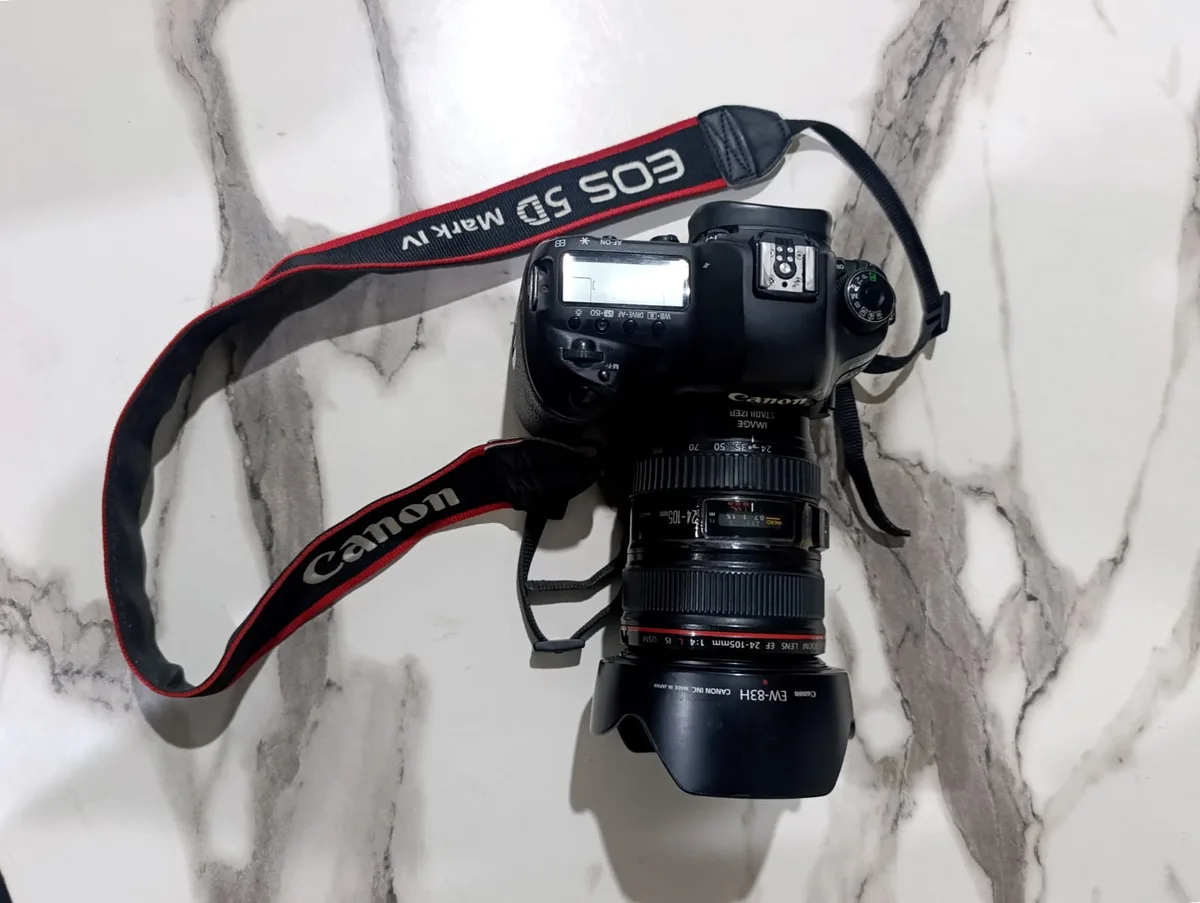
Canon 5D Mark IV locked down on a tripod, interval timer running in the menu, manual exposure, hundreds of frames. It was slightly better and still wrong.
The actual cause had nothing to do with the interval.
The short answer
Each frame of your time-lapse is a frozen instant with a hard edge. Normal video frames are slightly blurred, and that blur is what your eye reads as smooth motion. Freeze every frame perfectly sharp and the motion between them has nothing to bridge it, so it stutters.
The fix: make your shutter speed roughly half your interval. Four-second interval, two-second shutter. In daylight that's impossible without a strong neutral density filter, which is why so few people get there by accident.
Everything below is the detail behind that, plus the four other things that cause jerkiness and one problem that looks similar but isn't.
Why frozen frames stutter
Think about ordinary video for a second. At 24fps, each frame is typically exposed for around 1/48th of a second — about half the time each frame occupies. Anything moving during that exposure smears slightly. You never notice it consciously, but that smear is doing a lot of work: it overlaps with the next frame's smear, and your brain reads the overlap as continuous motion.
Now a time-lapse. Say you shoot every 4 seconds at 1/250s. Each frame captures 1/250th of a second of reality, and then 3.996 seconds of cloud movement happens that you didn't record at all. Frame one has the cloud here, frame two has it noticeably over there, and there is nothing in between — no blur, no overlap, nothing for your eye to follow.
Played at 24fps, that reads as hopping. And it gets worse the sharper each frame is.
This is the same principle as the 180-degree rule in filmmaking, applied to a much longer frame interval. Cinematographers keep shutter at half the frame duration for exactly this reason. Time-lapse just makes the interval thousands of times longer, so the effect is thousands of times more visible.
The shutter-to-interval rule
| Your interval | Aim for shutter | Minimum that helps |
|---|---|---|
| 1 second | 1/2 s | 1/4 s |
| 2 seconds | 1 s | 1/2 s |
| 4 seconds | 2 s | 1 s |
| 8 seconds | 4 s | 2 s |
| 15 seconds | 8 s | 4 s |
Half the interval is the target. Anything longer than about a third of it will visibly help. If you're at 1/250s on a 4-second interval, you're nowhere near, and no amount of fiddling with the interval will rescue it.
One hard constraint: your shutter must be shorter than your interval, with room to spare for the camera to write the file. A 2-second exposure on a 2-second interval will make the camera skip shots. Leave at least a second of headroom on long exposures.
This is what the ND filter is actually for
Here's the problem. It's the middle of the day, you want a 2-second exposure, and even at ISO 100 and f/22 you're several stops overexposed. You physically cannot get there.
That's what a neutral density filter does — it's sunglasses for the lens, cutting light so you can use a long shutter in bright conditions. It is not an optional accessory for daylight time-lapse; it's the thing that makes it possible.
- ND8 (3 stops) — overcast, or late in the day
- ND64 (6 stops) — the general-purpose choice for daylight time-lapse
- ND1000 (10 stops) — bright midday sun
Also, don't stop down to f/22 to buy yourself light. Most lenses are visibly soft there from diffraction, and on a 30MP sensor you'll see it. Stay around f/8 to f/11 and let the ND do the work.
A variable ND is tempting because it covers the whole range in one filter, but the cheap ones produce an X-shaped dark band at their strongest settings, and on a time-lapse you'd be baking that into hundreds of frames. If you buy variable, buy a good one.
The other four causes
Shutter speed is the big one, but it's not the only one.
1. Your interval was too long for the subject
There is a genuine interval mistake, and it's specifically about how fast the subject crosses the frame. If a cloud takes 60 seconds to cross and you shoot every 8 seconds, you have about seven frames of that journey — a third of a second of footage. No shutter speed saves that.
Fast, low clouds want 1–2 seconds. High, slow cloud wants 4–8.
2. You didn't shoot enough frames
At 24fps, ten seconds of finished time-lapse needs 240 frames. If you came home with 90 and stretched them to fill ten seconds, your editor is holding each frame on screen for two or three frames, and that stepping is visible.
Count before you start: frames needed = desired seconds × frame rate. There's no way around it.
3. The camera moved
Wind on a lightweight tripod, a leg sinking into soft ground over an hour, or your hand on the body to check the screen. Individual shifts of a few pixels are invisible in a still and read as jitter at 24fps.
Hang your bag from the centre column, don't touch the camera once it's running, and if you're on grass or sand, push the legs in properly and give it a minute to settle before you start.
4. Something moved through the frame once
A bird, a car, a person walking past. In a still it's a detail. In a time-lapse it exists for a single frame — a one-frame flash that reads as a glitch. There's no prevention, just removal: find the frame and delete it, or clone it out.
Jerky is not the same as flicker
These get confused constantly, and they have different causes and different fixes.
Jerky is a motion problem — things hop rather than glide. Shutter speed, interval, frame count.
Flicker is a brightness problem — the whole image pulses lighter and darker between frames, like a failing bulb. That's usually one of two things:
- Auto exposure. If the camera re-meters every shot, it will make slightly different decisions each time. Shoot in full manual — manual exposure, manual white balance, manual focus. Any "auto" anything will pulse.
- Aperture blade variance. On an electronically controlled lens, the aperture physically closes and reopens for every shot, and it doesn't land in exactly the same place each time. At f/8 that variance is a visible brightness wobble. Shooting wide open avoids it entirely, because the blades aren't moving.
If you're stuck with flicker in footage you've already shot, deflickering tools exist — LRTimelapse is the specialist, and DaVinci Resolve has a Deflicker effect built in.
Can you fix jerkiness afterwards?
Partly, and not well.
Frame blending in your editor will cross-fade neighbouring frames, which fakes some of the missing blur. It takes the hardest edge off the stutter. It also ghosts — you'll see doubled cloud edges — and on fast motion it looks worse than the stutter did.
Some people average groups of frames together to synthesise long-exposure blur. It works better than blending, but it costs you frames, which brings you back to problem #2.
The honest answer is that jerkiness is a capture problem. Get the shutter right in camera and you don't need any of this.
Looking back at that first cloud attempt, the fix would have been about ninety seconds of work:
- Put a 6-stop ND on the lens.
- Set the interval to 3 seconds for the cloud speed that day.
- Set the shutter to 1.5 seconds and balance with ISO 100 and around f/9.
- Everything manual — exposure, focus, white balance.
- Work out the frame count first: 12 seconds of footage at 24fps is 288 frames, which at a 3-second interval means standing there for about 15 minutes.
- Hang the bag on the tripod and not touch anything.
That's it. Not a different camera, not different software. One filter and one setting.
Frequently asked questions
What shutter speed should I use for time-lapse? Roughly half your interval. Two seconds on a four-second interval, one second on a two-second interval. In daylight this needs an ND filter.
Why does my time-lapse look choppy even at a short interval? Because interval isn't the cause — shutter speed is. A one-second interval at 1/500s will still stutter. Shorten the interval and lengthen the shutter.
Do I really need an ND filter? For daylight, yes. Without one you can't get a long enough shutter, and that's the whole problem. Indoors or at dusk you may not need it.
How many photos do I need for a time-lapse? Desired length in seconds × frame rate. Ten seconds at 24fps is 240 frames; at 30fps it's 300.
Is jerkiness the same as flicker? No. Jerky motion is a shutter and interval problem. Flicker is brightness pulsing, caused by auto exposure or aperture blade variance, and it's fixed by shooting fully manual.
Can I avoid all this by just speeding up a video? Yes, and for short subjects it's genuinely the easier route — continuous video captures every frame, so it can't stutter this way. That method is covered in how to turn a video into a time-lapse.
Gear that makes this easier
For night work, where the shutter-to-interval problem largely disappears because your exposures are already long, see best cameras for night sky time-lapse. And for the slow subjects — plants, construction — the plant time-lapse guide covers what changes when your shoot runs for days.

Written by
Marien CartelProfessional and Certified Digital Photographer born in the USA, with 22 years of experience in the field of photography.
Related Guides
How to Make a Time-Lapse Video: The Complete Guide (2026)
Time-lapse photography compresses hours, days, or even months into a few captivating seconds.

How to Turn a Video Into a Time-Lapse
Already have the footage? Here's how to speed video into a time-lapse in Premiere, Resolve, Final Cut, on your phone, or free with ffmpeg — and the smoothness setting everyone misses.
Time-Lapse Interval: How Many Seconds Between Shots?
Interval settings for clouds, sunsets, stars, traffic and plants — plus the two-line calculation that tells you how long you'll be standing there before you start.
Why Are My Photos Blurry? How to Diagnose It From the Photo
Four different causes produce four different kinds of blur. Work out which one you have by looking at the picture, then fix that one — not all of them.

3 Best Time Lapse Camera for Plants
Best Time Lapse Camera for Plants — how Brinno TLC2020, GoPro Hero 12 and Canon EOS Rebel T7 compare on features and price, and who each is best for.
6 Best Video Camera for Time lapse: (Guide & Reviews)
Best Video Camera for Time lapse — Nikon D850, Fujifilm X-T4 and Olympus OM-D E-M10 Mark IV compared, with pros, cons and who should buy which.